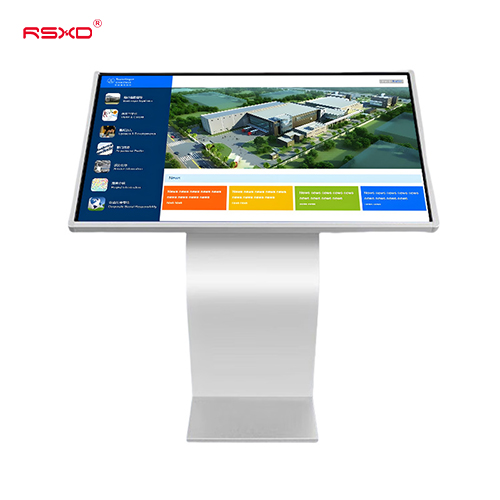
Product imagery supplied by RSXD. Appearance and configuration may vary by model.
Horizontal Touchscreen All-in-One Kiosk
An angled landscape touchscreen for self-directed information, product exploration and visitor guidance.
Configuration overview
| Published screen range | 15.6–98 inches across configurations |
|---|---|
| Touch technology | Infrared or capacitive options |
| Operating system | Android or Windows |
| Connectivity | Wi-Fi / wired options by model |
| Applications | Wayfinding, information inquiry and product browsing |
| Integration | Confirm application and peripheral compatibility |
These details describe a product family, not a single fixed SKU. Confirm the exact panel, dimensions, interfaces, software, relevant test evidence and commercial terms for the quoted configuration.
A clear role in the project.
Select the product around its installation context and the information it needs to communicate.
Angled interaction surface for hands-on browsing
Museum information points
Hardware platform for a tailored information application
Mall directories
Enclosure and system options for project integration
Library and public information desks
From a product to a working system.
For system integrators, distributors and project procurement teams, the final specification should connect this display with the site and the content workflow.
- Record the available space, installation method and service access.
- Define the viewing distance, content format and daily operating schedule.
- Confirm player, software licenses, connectivity and integration responsibilities.
- Review the model drawing, packing dimensions and the quotation before ordering.
Where this format belongs
- Museum information points
- Mall directories
- Library and public information desks
Describe your site and the intended audience. The same product family may need a different configuration in another setting.
Explore application planningBefore you choose.
Answers to common configuration and deployment questions.
Does the kiosk include wayfinding software?
Agree the software scope separately, including maps, languages, hosting, updates and accessibility. Hardware availability does not imply that a finished navigation application is included.
Can peripherals be added?
Scanner, reader and printer options require mechanical space, compatible drivers, connection ports and an integration test. Confirm the complete configuration.
Product reference: RSXD official Horizontal Touchscreen All-in-One Kiosk page ↗. Configuration information reviewed 27 October 2026. The order specification takes precedence over family-level website information.
Start with the right questions.
Share the location, application and intended experience. We can review a configuration and the work needed to bring it into use.
Prepare a project inquiry